| GitHub Codespaces | |
|---|---|
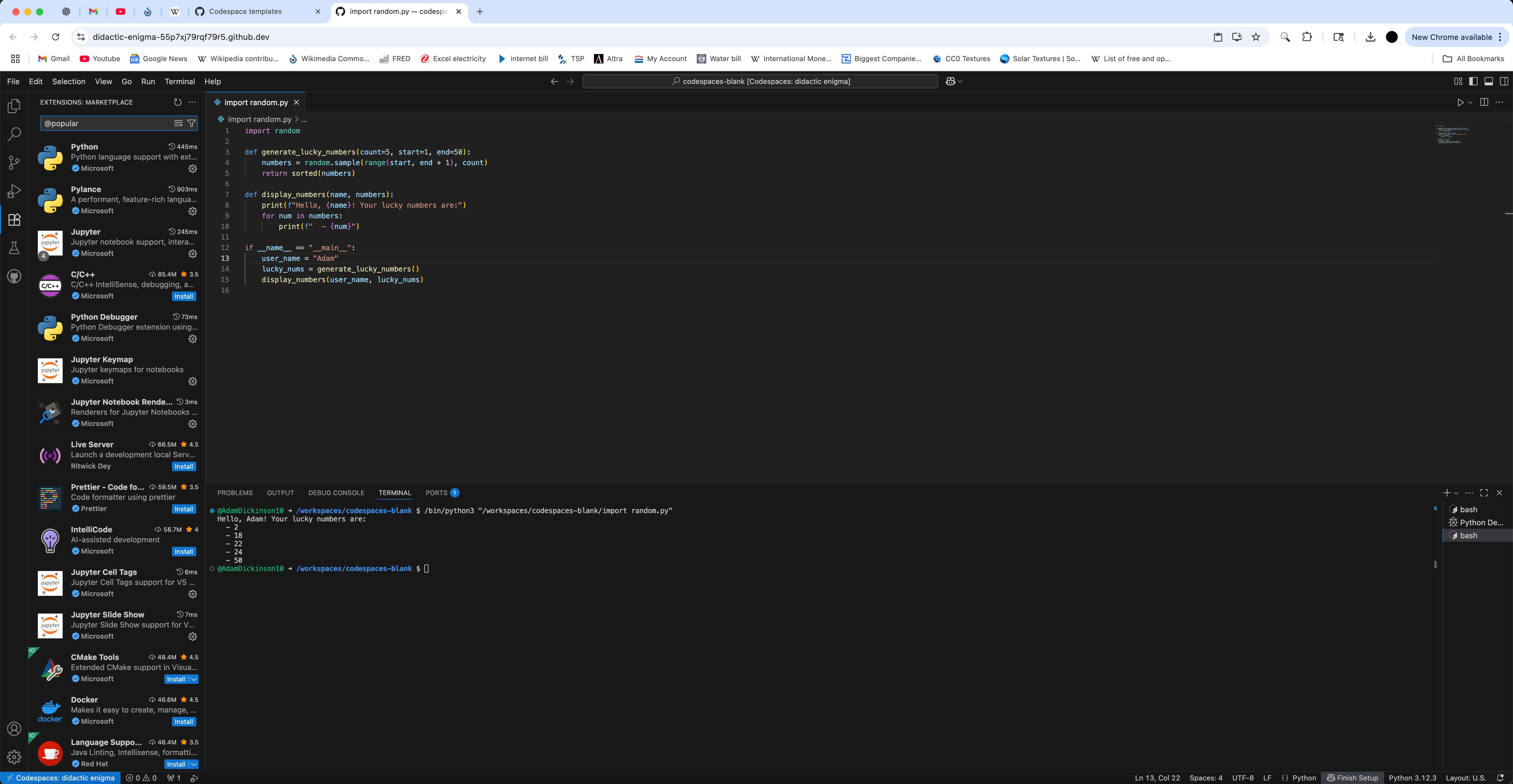 Screenshot in the web-browser | |
| Developers | GitHub, a subsidiary of Microsoft |
| Initial release | 2020[1] |
| Platform | Web application O–IDE |
| Type | Cloud computing development environment |
| License | Proprietary software |
| Website | github |
GitHub Codespaces is a cloud-based online integrated development environment developed by GitHub. It allows users to create and manage development environments directly within the browser or through Visual Studio Code desktop. Codespaces is tightly integrated with GitHub repositories and enables on-demand coding, debugging, and testing in a full-featured development container hosted in the cloud.[2]
Features
edit
GitHub Copilot on the left
Code editor in center
Terminal on the right
- Instant development environments integrated with GitHub[3]
- Browser-based and desktop access via Visual Studio Code[4]
- Configurable Dockerfile or devcontainer.json environments[5]
- Built-in support for GitHub Copilot, extensions, snippets, and SSH.
Licensing
editGitHub Codespaces is proprietary software and available to GitHub users under various subscription plans. Codespaces includes a monthly usage quota for free tier users of 120 hours, and expanded access for GitHub education, Pro, Team, and GitHub Enterprise plans.[6]
GitHub Classroom
editGitHub Classroom is an educational tool developed by GitHub to streamline the process of managing programming assignments and coursework. Integrated with GitHub repositories, it allows instructors to distribute starter code, automate grading workflows, and track student progress. GitHub Classroom is widely used in computer science education and supports integration with GitHub Codespaces for cloud-based development environments.[7][8][9]
Programming languages supported
edit- C
- C++
- C#
- Clojure
- CoffeeScript
- CSS
- Dart
- Diff
- Docker
- F#
- Go
- Groovy
- Handlebars
- HLSL
- HTML
- INI
- Java
- JavaScript
- JSON
- Julia
- LaTeX
- Less
- Lua
- Make
- Markdown
- Markdown Math
- Objective-C
- Perl
- PHP
- PowerShell
- Prompt
- Pug
- Python
- R
- Razor
- ReStructuredText
- Ruby
- Rust
- SCSS
- ShaderLab
- Shell Script
- SQL
- Swift
- TypeScript
- Visual Basic
- Windows Batch File
- XML
- YAML[10]
Extensions
editSome of the popular extensions include:
- .NET
- ASP.NET Core
- Atlassian
- AWS Cloud Development Kit
- Azure ML
- Bootstrap
- CMake
- CodeQL
- Composer
- DeepSeek R1
- Dev Containers
- Django
- Docker
- ESLint
- Flutter
- GitHub Copilot
- GitHub Repositories
- Gradle
- Hex editor
- IntelliCode
- Jinja
- Jira
- Jupyter Notebook
- Kubernetes
- LLDB
- Maven
- Microsoft Azure SQL Database
- Microsoft SQL Server
- PlantUML
- PostgreSQL
- Prettier
- React Native
- Remote - SSH
- SonarQube
- Spring Boot
- SQLite
- Vim emulator
- Windows Subsystem for Linux
- Xdebug
See also
edit- Comparison of integrated development environments
- Comparison of source-code-hosting facilities
- Google Colab
- List of online integrated development environments
External links
edit- github.dev — A lightweight, browser-based editor for GitHub repositories, often seen as a simplified version of Codespaces, without backend compute or container support.
References
edit- ^ Lardinois, Frederic (May 6, 2020). "GitHub gets a built-in IDE with Codespaces, discussion forums and more". TechCrunch.
- ^ "Using GitHub Codespaces". Johns Hopkins Engineering. December 5, 2024.
- ^ "How to use GitHub Codespaces for reviewing pull requests". Graphite.dev.
- ^ "Using GitHub Codespaces in Visual Studio Code". GitHub Docs.
- ^ "Introduction to dev containers". GitHub Docs.
- ^ "GitHub Codespaces freely available to all GitHub users". Infoworld. 2022-11-11.
- ^ "GitHub Classroom Getting Started Guide". YouTube.
- ^ "Using GitHub Codespaces with GitHub Classroom". GitHub Docs.
- ^ Jhon, Ralf. "Git gui". Retrieved 22 February 2025.
- ^ "Build software better, together". GitHub.
